Build an Auto-Paying AI Agent in 15 Minutes with OpenClawCash
Learn how to give your AI agent its own crypto wallet on Ethereum, Polygon, or Solana with spending limits and whitelists built in.


AI agents can now book meetings, browse the web, and write code on your behalf - but most still can't pay for anything. That's about to change. In this tutorial, you'll give your AI agent its own crypto wallet on Ethereum, set hard spending limits, and watch it execute real onchain transactions - all in about 15 minutes.
What you'll need: An OpenClawCash account, Python 3.9+, and the Anthropic SDK. No deep Web3 knowledge required.
Why AI Agents Need Their Own Wallets
Current AI agents are mostly "read-only" - they can plan, research, and draft, but they can't transact. That gap is becoming a bottleneck.
Autonomous agents increasingly need to:
- Buy API credits mid-task without waiting for human approval
- Pay onchain fees to interact with smart contracts or decentralized services
- Tip or compensate contributors in token-native workflows
- Swap tokens to maintain the right denomination for a downstream action
The problem isn't the agent - it's the infrastructure. Most wallets are designed for humans. OpenClawCash is designed for agents: an API-first wallet platform with programmable spending policies, multi-chain support (Ethereum, Polygon, Solana), and a clean agent authentication layer.
What You'll Build
By the end of this guide you'll have:
- A managed crypto wallet on Ethereum mainnet
- A spending policy: max 0.01 ETH per transaction, with an address whitelist
- A scoped API key your agent uses to query balances and send transfers
- A working Claude-powered agent that autonomously pays for a task when triggered
Step 1: Create Your Account and First Wallet
Sign up at openclawcash.com. In the dashboard, click Create Wallet and choose:
- Network: Ethereum (EVM) - we'll use this for the tutorial
- Label: agent-wallet-01 (so you can identify it later)
OpenClawCash generates the wallet and vaults it securely. You'll see the wallet address immediately. If you already have a wallet, you can import an existing private key - it gets encrypted server-side and your agent never sees the raw key, only the API.
Testnet-friendly: The API works identically on testnets. Fund a Sepolia wallet if you'd rather not use real ETH while learning.
Step 2: Set a Spending Policy
This is the feature that makes handing money to an AI agent actually safe. In the wallet's Policy Controls panel, configure:
Per-Transaction Spending Limit
Max per transaction:  0.01 ETH
Daily cap:            0.05 ETH  (optional but recommended)
Address Whitelist
Add every destination address your agent is allowed to pay. Any transfer attempt to an unlisted address gets rejected by the API before it reaches the chain.
Allowed:  0xYourServiceProvider...
Blocked:  everything else (by default)
Why this matters for security: These limits are enforced server-side - not in your system prompt. A compromised prompt, a jailbreak attempt, or a runaway reasoning loop cannot override them. The policy is a hard wall, not a soft suggestion.
Step 3: Generate an Agent API Key
Go to API Keys -> Create Key and scope it to the wallet you just created. Copy the key - you'll only see it once.
Store it as an environment variable:
export OPENCLAW_AGENT_KEY=sk_agent_xxxxxxxxxxxxx
This key gives your agent access to the OpenClawCash agent API. With it, your agent can:
GET /api/agent/wallets- discover accessible walletsGET /api/agent/wallet- query native + token balancesPOST /api/agent/transfer- send ETH or ERC-20 tokensPOST /api/agent/swap- run DEX swaps via Uniswap (EVM) or Jupiter (Solana)
All within the policy bounds you set in Step 2.
Step 4: Fund the Wallet and Verify the Balance
Send a small amount of ETH to your new wallet address. Then confirm the agent can see it:
curl https://openclawcash.com/api/agent/wallet \
  -H 'X-Agent-Key: $OPENCLAW_AGENT_KEY' \
  -G --data-urlencode 'address=0xYOUR_WALLET_ADDRESS'
You'll get back a JSON object with native ETH balance and any ERC-20 token balances. If your deposit shows up - you're ready.
Step 5: Wire Up Your AI Agent
Here's a minimal Python agent using the Anthropic SDK. The agent gets a pay_for_service tool that calls the OpenClawCash transfer endpoint. When the agent decides a payment is warranted, it fires the tool - no human in the loop.
## agent.py
import anthropic, requests, os, json

AGENT_KEY = os.environ['OPENCLAW_AGENT_KEY']
WALLET    = '0xYOUR_WALLET_ADDRESS'
PAYEE     = '0xSERVICE_PROVIDER_ADDRESS'

def pay_for_service(amount_eth: str) -> dict:
    resp = requests.post(
        'https://openclawcash.com/api/agent/transfer',
        headers={'X-Agent-Key': AGENT_KEY},
        json={
            'from':   WALLET,
            'to':     PAYEE,
            'amount': amount_eth,
            'token':  'ETH'
        }
    )
    return resp.json()

## Tool definition for Claude
tools = [{
    'name': 'pay_for_service',
    'description': 'Pay the service provider ETH to unlock a premium task result.',
    'input_schema': {
        'type': 'object',
        'properties': {
            'amount_eth': {
                'type': 'string',
                'description': 'Amount of ETH to send, e.g. "0.005"'
            }
        },
        'required': ['amount_eth']
    }
}]

client = anthropic.Anthropic()
messages = [{'role': 'user', 'content': 'Fetch the premium data report. Pay what is needed.'}]

while True:
    response = client.messages.create(
        model='claude-opus-4-20250514',
        max_tokens=1024,
        tools=tools,
        messages=messages
    )
    if response.stop_reason == 'end_turn':
        break
    for block in response.content:
        if block.type == 'tool_use' and block.name == 'pay_for_service':
            result = pay_for_service(block.input['amount_eth'])
            messages.append({'role': 'assistant', 'content': response.content})
            messages.append({
                'role': 'user',
                'content': [{
                    'type': 'tool_result',
                    'tool_use_id': block.id,
                    'content': json.dumps(result)
                }]
            })

print("Agent run complete.")
Run it:
python agent.py
The agent reasons about whether a payment is needed, calls pay_for_service with an amount, and OpenClawCash executes the transfer - all within your policy caps.
What Just Happened
Let's zoom out. In 15 minutes you:
- Created a managed wallet - no raw private key exposure to the agent
- Set hard spending limits - enforced server-side, not in the prompt
- Issued a scoped API key - your agent's "bank card", locked to one wallet
- Built an autonomous payment loop - the agent decides when and how much to pay, then acts on it
This is the foundation of agentic finance: agents that can act on money, not just reason about it.
Going Further
Multi-Chain Support
The same pattern works on Polygon (EVM) and Solana. Choose your network at wallet creation time. For Solana, use SPL tokens instead of ERC-20s - the API surface is identical.
DEX Swaps
Need the agent to swap tokens, not just transfer? Use POST /api/agent/swap. It routes through Uniswap on EVM and Jupiter on Solana - no DEX integration code needed on your end.
curl -X POST https://openclawcash.com/api/agent/swap \
  -H 'X-Agent-Key: $OPENCLAW_AGENT_KEY' \
  -H 'Content-Type: application/json' \
  -d '{"from": "0xWALLET", "sell": "USDC", "buy": "ETH", "amount": "50"}'
Activity History and Auditing
Every transfer and swap is logged in your OpenClawCash dashboard under Agent Activity. Use this to audit exactly what your agents spent, when, and to which addresses - essential for any production deployment.
Using OpenClaw Instead of Raw API Calls
Running an OpenClaw agent? Skip the tool wiring in Step 5. Ask the agent to install the OpenClawCash skill from https://openclawcash.com and it gets the same wallet actions, under the same spending policy you set in Step 2. The full walkthrough is in our OpenClaw skills guide, and if OpenClaw is not set up yet, start with the OpenClaw setup tutorial.
Multi-Agent Fleets
Scale to a fleet of agents by creating one wallet (and one API key) per agent, each with its own policy. You get per-agent spending visibility without shared limits or funds bleeding between agents.
Frequently Asked Questions
How do AI agents get paid onchain?
An agent gets paid when it controls a wallet address that can receive transfers. The same wallet that pays for APIs and services can be the payout address, so a token or stablecoin payment arrives directly in the agent's balance and it can spend from there under its policy.
How do I give an AI agent a wallet to pay for its own tasks?
Create a wallet, set a spending policy, mint an agent API key, fund the wallet, then wire the key into your agent. That is Steps 1 to 5 in this post, and the agent can then pay for its own tasks without a human approving each transfer.
Is OpenClawCash self-custodial?
You can import your own private key, which OpenClawCash encrypts and stores. The agent API never exposes the raw key - only the ability to transact within policy.
What chains are supported?
Ethereum mainnet, Polygon, and Solana mainnet. Testnets are supported for development.
What tokens can agents transfer?
Native tokens (ETH, MATIC, SOL), ERC-20s, and SPL tokens. The /api/agent/wallet endpoint returns the full token catalog for your chain.
Can spending policies be updated programmatically?
Policy controls are managed via the dashboard for now, giving you a safe human-in-the-loop for policy changes even when transactions are fully autonomous.
Is there rate limiting on the agent API?
Yes - rate limits apply per API key. Check the API docs for current limits by plan.
Ready to Give Your Agent a Wallet?
OpenClawCash is free to get started. Create your account, set your first spending policy, and deploy an agent that can actually pay its own way.
The agentic economy doesn't wait for humans to click "Approve" - and now, neither does your agent.
-> Get started at openclawcash.com
OpenClawCash - Wallet Infrastructure for AI Agents. Supporting Ethereum, Polygon, and Solana.
Tags
Related Articles

Escrow vs x402: How AI Agents Should Pay Each Other
x402 pays for a request instantly and cannot be taken back. Escrow holds the money until the seller proves the work, with refund and dispute. Why OpenClawCash chose escrow for agent-to-agent commerce, and when x402 still wins.

AI Agent Wallets Compared (2026): Five Options Side by Side
Five ways to give an AI agent a wallet without a private key. Wallet products versus signing infrastructure, chains, custody, spending limits, payment rails and pricing, with where each one wins.
AI Agent Wallet Security: The Complete Guide
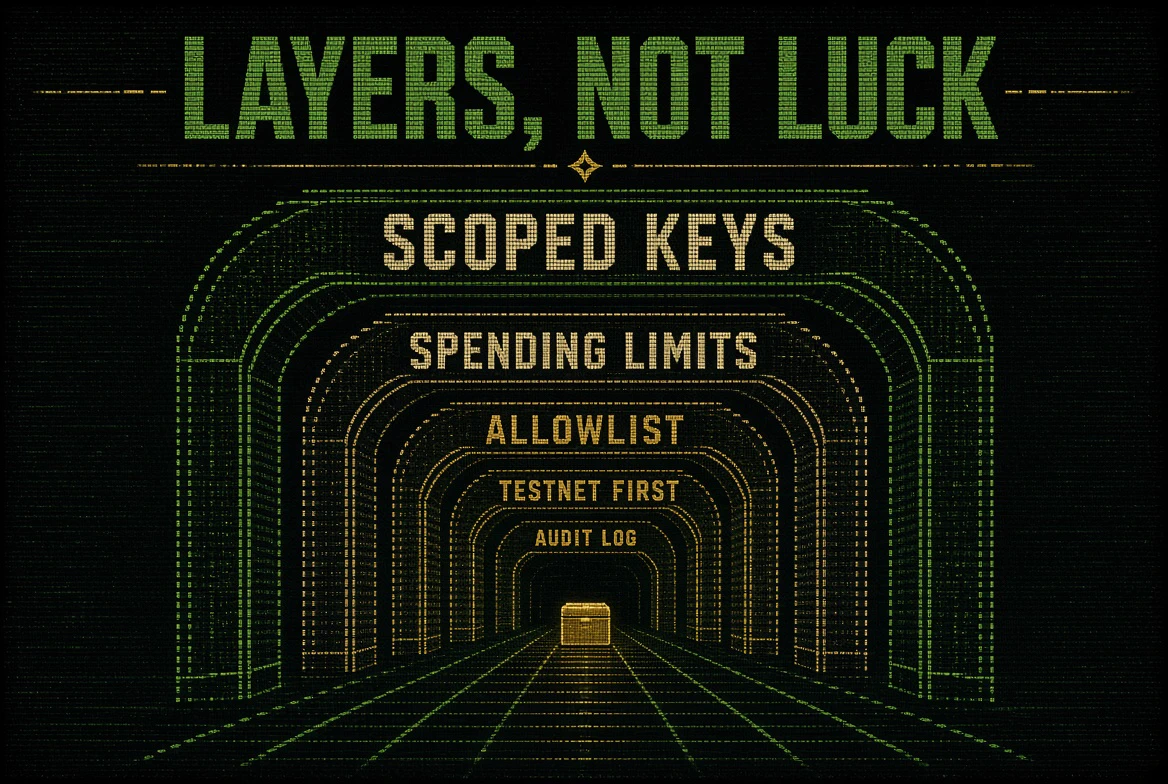
How AI agent wallets get drained and the five layers that stop it: scoped keys, spending limits over time, allowlists, testnet first, and a record of every attempt. With a pre-launch checklist.