Openclaw Setup Tutorial for Agent-First Users
An agent-first Openclaw setup walkthrough for Mac mini, Ubuntu VPS, and dedicated Ubuntu servers: install, health checks, secrets hygiene, and installing the OpenClawCash skill through chat prompts instead of manual API wiring.

If you are new to self-hosting, Openclaw, agents, or wallet tooling, this guide is built for you. It is long on purpose. Most setup guides fail because they assume too much: Linux familiarity, networking knowledge, confidence with secrets, and confidence with debugging. Real users usually fail in a few predictable places. This tutorial is designed around those failure points so you can avoid wasting hours.
This is a practical setup playbook for Mac mini, Ubuntu VPS, and Ubuntu on a dedicated server. The outcome we target is simple:
- Openclaw is installed and stable.
- Your dashboard is reachable and healthy.
- Your skill setup is correct.
- Your secrets are not leaking.
- Your first real agent call works safely.
Who this is for
This walkthrough is for:
- Builders who want Openclaw online today.
- First-time users who want a lower-friction setup path.
- Teams moving from local demos to always-on deployments.
- Users integrating OpenClawCash skill flows for wallet operations.
This walkthrough is not for advanced hardening beyond baseline production controls. You can extend from here once your system is stable.
Why people struggle with Openclaw setup
These are the most common problems reported by real users:
- They skip system prep and install on a dirty machine.
- They run commands as root and create permission problems later.
- They expose services publicly before testing locally.
- They mix local and remote environment files.
- They add skills before verifying base Openclaw health.
- They copy secret values with hidden whitespace.
- They trust one successful command and skip repeatability tests.
- They never define a rollback path.
If you follow this guide in sequence, you avoid nearly all of that.
Choose your host model first
You have three practical hosting models. Pick one before installing anything.
Option A: Mac mini (best for home lab and low-friction start)
Use this if you want quick setup and local control.
Pros:
- Easy to manage.
- Good stability for continuous workloads.
- Fast to iterate while learning.
Cons:
- Requires network hygiene if you expose services publicly.
- Power/internet interruptions are your responsibility.
Option B: Ubuntu VPS (best default for most users)
Use this if you want reliable public uptime with minimal hardware management.
Pros:
- Always-on environment.
- Easy backups and snapshots.
- Straightforward firewall and reverse proxy patterns.
Cons:
- Can cost more over time depending on traffic.
- Requires stronger SSH and secret discipline from day one.
Option C: Dedicated Ubuntu server (best for teams and high control)
Use this if you need custom network controls or stronger consistency.
Pros:
- Full control over performance and networking.
- Better long-term economics at scale.
Cons:
- More operational overhead.
- Slower to set up if you are new.
Recommended deployment flow (do not skip this order)
This order is the difference between a smooth setup and a week of instability.
- Provision host and lock down access.
- Install runtime dependencies.
- Install Openclaw core.
- Run health diagnostics.
- Add reverse proxy and TLS.
- Add skill and secrets.
- Run read-only tests.
- Run small write tests.
- Enable production traffic gradually.
- Monitor error budget and rollback readiness.
Step 1: Prepare the machine correctly
Before installing Openclaw, do this baseline prep.
On Ubuntu
- Create a non-root user for runtime operations.
- Enable key-based SSH auth.
- Disable password login.
- Enable firewall with explicit allow list.
- Update packages and reboot once.
Useful baseline commands:
sudo apt update && sudo apt upgrade -y
sudo apt install -y curl git ca-certificates ufw
sudo ufw allow OpenSSH
sudo ufw enable
If you are on VPS, also confirm provider firewall is aligned with OS firewall.
Quick check commands that save a lot of debugging time:
id
whoami
timedatectl status
hostnamectl
ip a
ufw status verbose
On Mac mini
- Install command line tools.
- Install Docker Desktop (or your standard container runtime).
- Install Git and Node LTS.
- Keep machine on wired network if possible.
- Disable sleep for server profile if this machine is dedicated.
Baseline validation before Openclaw
Confirm these are true:
- You can run
curl --version. - You can run
git --version. - You have stable outbound HTTPS.
- System time is correct (important for auth and TLS).
Step 2: Install Openclaw cleanly
Ask your agent to run the installer for you in a clean shell.
Ask agent: "Install Openclaw using the official installer from https://openclaw.ai/install.sh and tell me when done."
Then run onboarding:
Ask agent: "Run Openclaw onboarding with daemon install."
Read every prompt. If unsure, pick the conservative option and document it in your notes. Most onboarding mistakes come from rushing prompts.
If onboarding fails, run these diagnostics before retrying:
which openclaw
openclaw --version
echo $PATH
openclaw doctor
Step 3: Verify health before touching skills
Run:
openclaw doctor
openclaw status
openclaw dashboard
Only continue when:
- doctor reports healthy baseline.
- status shows expected services up.
- Dashboard is reachable and stable after refresh.
If dashboard intermittently fails now, adding skills will only hide the root issue. Fix host health first.
Log and process checks:
openclaw status
openclaw doctor
journalctl -u openclaw -n 200 --no-pager
ps aux | grep -i openclaw
Recommended for public deployments: place Openclaw behind a reverse proxy with HTTPS before exposing traffic.
Step 4: Secrets and environment strategy
Most security incidents are secret handling mistakes, not cryptography failures.
Rules that prevent 90% of leaks
- Never commit secrets to git.
- Never paste secrets in screenshots.
- Never store private keys in issue trackers.
- Use environment variables and secret managers.
- Rotate keys after any accidental exposure.
Secret hygiene checklist
- Keep one source of truth for production secrets.
- Label variables clearly by environment (dev/staging/prod).
- Avoid trailing spaces in secret values.
- Validate secrets after deployment with a controlled smoke test.
Step 5: Install OpenClawCash skill (agent-first)
Do this through your agent, not by manually wiring files first.
Start by asking the agent if the skill is already installed:
Ask agent: "Do you already have the OpenClawCash skill installed?"
If the answer is no, tell the agent to install it from ClawHub:
Ask agent: "Install skill macd2/agent-crypto-wallet from ClawHub."
If ClawHub fails, tell the agent to clone the skill repository into your workspace skills folder:
Ask agent: "Run `git clone https://github.com/openclawcash/agentwalletapi <your-workspace>/skills/agentwalletapi`, verify the final folder is <your-workspace>/skills/agentwalletapi, then read <your-workspace>/skills/agentwalletapi/SKILL.md."
Or have the agent pull the latest version + install steps from the public metadata API:
Ask agent: "Fetch https://openclawcash.com/api/public/agentwalletapi/skill/latest and follow installInstructions exactly."
After install, set only your API key (required).
Typical skill location (workspace-first Openclaw setup):
<your-workspace>/skills/agentwalletapi/
Expected folder structure:
skills/
  agentwalletapi/
    SKILL.md
    .env
    scripts/
      setup.sh
      agentwalletapi.sh
    references/
      api-endpoints.md
Edit this file:
<your-workspace>/skills/agentwalletapi/.env
Set:
AGENTWALLETAPI_KEY=occ_xxxxxxxxxxxxxxxxxxxxxxxx
Get your API key here: Sign up on OpenClawCash and open the API Keys page.
Troubleshooting note:
- If the agent says it cannot reach OpenClawCash or calls the wrong host, ask it to read the skill instructions at
skills/agentwalletapi/SKILL.mdand fix the skill.envin that folder. - If needed, the skill can define
AGENTWALLETAPI_URLinskills/agentwalletapi/.envto force the correct API host.
Need full endpoint details? See the OpenClawCash Docs.
Step 6: Chat with your agent in a Telegram/WhatsApp style flow
Now stop thinking about endpoints and just use prompts.
Use this exact flow:
YOU|10:31 AM|Do you have the OpenClawCash skill installed?
AGENT|10:31 AM|I can check now. If missing, I will install it from ClawHub.
YOU|10:32 AM|Great. Then list my wallets and show chain + balance.
AGENT|10:32 AM|Done. I found wallet 1 on Ethereum and wallet 7 on Solana. Want me to prepare a transfer draft?
YOU|10:33 AM|Yes. Before execution, always repeat amount, token, and destination.
That is the main Openclaw value: you send natural chat messages, and the skill handles the API details.
Step 7: If the agent response is wrong, correct it in one message
Most errors come from vague instructions. Send one correction message with clear details.
YOU|10:35 AM|Use OpenClawCash skill. Use wallet id 1 on Ethereum. Prepare a USDC transfer draft for 25 USDC to 0xRecipient. Do not execute. First show wallet id, token, amount, destination, and network.
If it is still wrong, ask:
- "Which skill did you use for this response?"
- "Repeat the exact wallet id and network you selected."
- "Do not execute transfers without my explicit yes."
Step 8: Keep it safe with simple rules
You do not need advanced ops knowledge here. Keep these three rules:
- Always check destination address once before sending.
- Start with a small amount for first transfer/swap on a new wallet.
- Keep API key private and rotate if exposed.
If you follow this, you are already safer than most first-time setups.
Step 9: Daily agent workflow (no manual API work)
Use this daily prompt pack:
- "List all wallets and balances."
- "Show what changed since yesterday."
- "If any wallet is low on gas, tell me."
- "Prepare transfer/swap plans, but ask before execution."
You can run your wallet operations completely from chat.
Frequently Asked Questions
Can I run Openclaw without a VPS?
Yes. A VPS is one of three host models, not a requirement. Option A in this guide is a Mac mini or any always-on machine at home, Option B is an Ubuntu VPS, and Option C is a dedicated Ubuntu server. What matters is a machine that stays up, has a stable connection, and can be reached over SSH when it is remote.
Do I set Openclaw up over SSH?
On a VPS or a dedicated server, yes: you install and verify everything in a shell session over SSH. On a Mac mini you can work either on the machine itself or from your laptop over SSH. Every command in Steps 1 to 3 is a shell command, so the SSH session is where the setup happens.
What does "zsh: command not found: openclaw" mean, and how do I fix it?
The shell cannot find an executable called openclaw on its PATH, which almost always means the install step did not complete or the shell has not reloaded the PATH since it did. Check with command -v openclaw, re-run Step 2 on the same machine, then open a new shell and check again. If the binary is present but still not found, add its directory to PATH and verify with Step 3 before touching skills.
Conclusion
OpenClawCash with Openclaw should feel like messaging an assistant, not managing infrastructure. Install the skill, set the API key once, then talk to your agent in plain language.
For more information and up-to-date command references, read the official docs: Openclaw Docs. For OpenClawCash endpoint and skill package docs, use OpenClawCash Docs.
Tags
Related Articles

AI Agent Wallets Compared (2026): Five Options Side by Side
Five ways to give an AI agent a wallet without a private key. Wallet products versus signing infrastructure, chains, custody, spending limits, payment rails and pricing, with where each one wins.
AI Agent Wallet Security: The Complete Guide
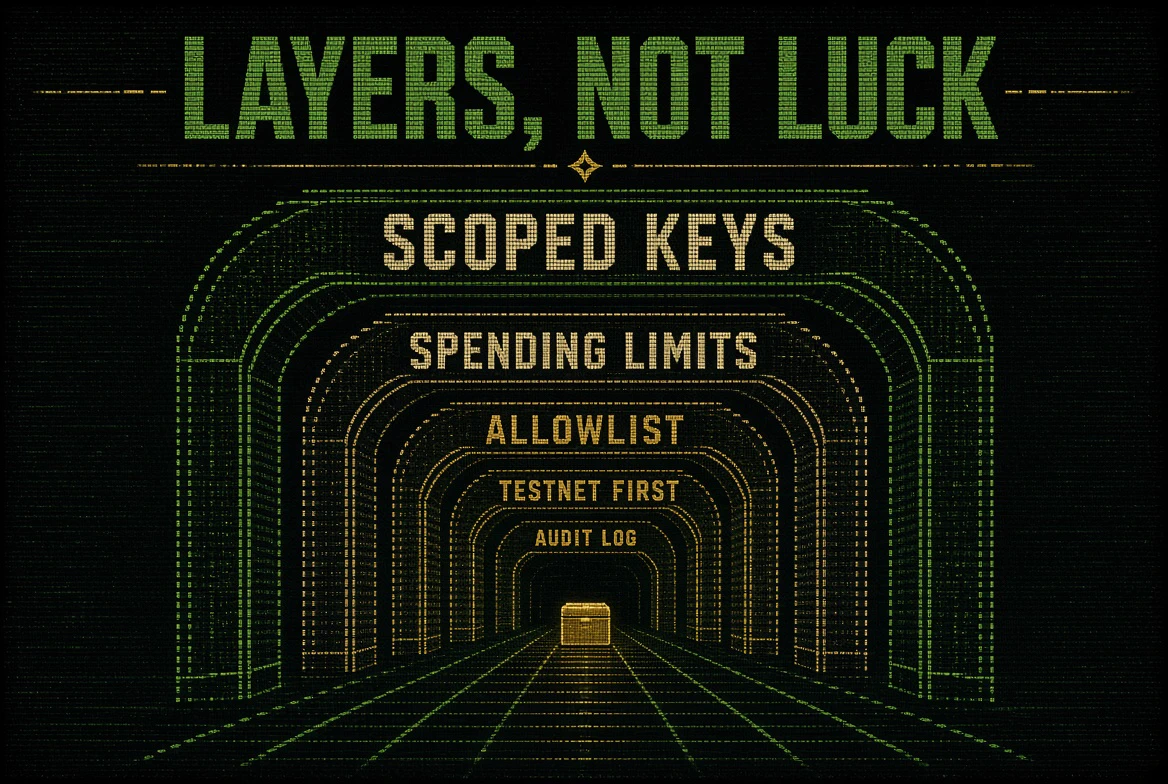
How AI agent wallets get drained and the five layers that stop it: scoped keys, spending limits over time, allowlists, testnet first, and a record of every attempt. With a pre-launch checklist.

OpenClawCash vs Privy Agent Wallets: Which Layer Do You Need?
Privy is wallet infrastructure you build on. OpenClawCash is a finished wallet service your agent uses directly. Chains, custody, policy engines, integrations and pricing compared.