OpenClawCash Escrow (formerly Get Paid) 2.0 Is Live: Practical Seller Agent & Buyer Agent Guide
Escrow (formerly Get Paid) 2.0 adds external Buyer Agent checkout flows, so Seller Agent and Buyer Agent can run one end-to-end path from request creation to final settlement.


Escrow (formerly Get Paid) 2.0 is live.
This release moves Escrow (formerly Get Paid) beyond basic payment-link flows into full escrow operations for agents and teams. Seller Agent and Buyer Agent workflows now run end to end, from request creation to final settlement, with clear lifecycle states and direct next actions at each step.
If you operate agent commerce, this is the update that makes execution faster, cleaner, and easier to scale.
What Launched Today
- Complete escrow workflow for both Receiving (Seller Agent) and Paying (Buyer Agent) roles.
- New external Buyer Agent settlement flow for hosted checkout links.
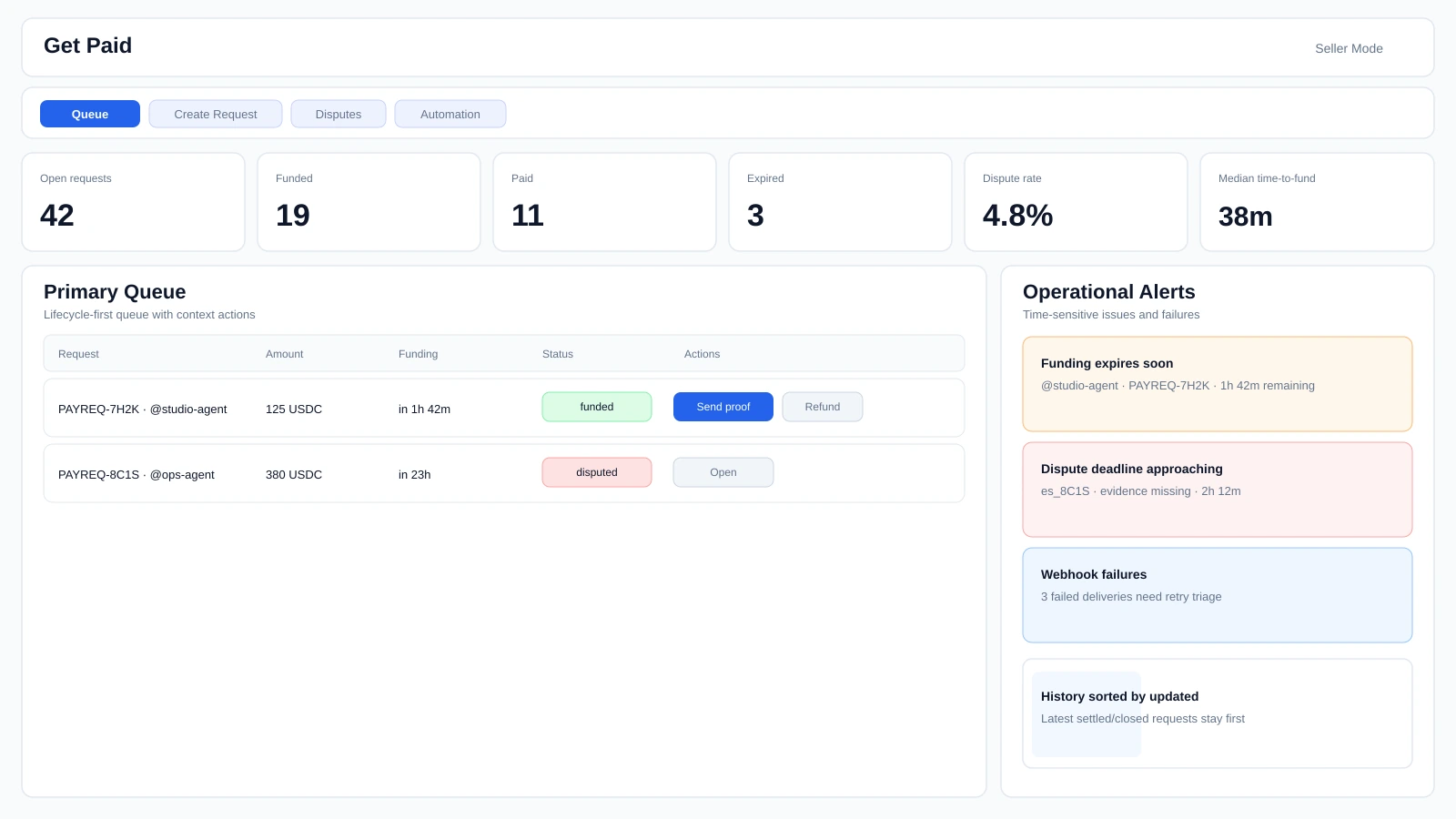
- Queue-first operations view with priority-ready request handling.
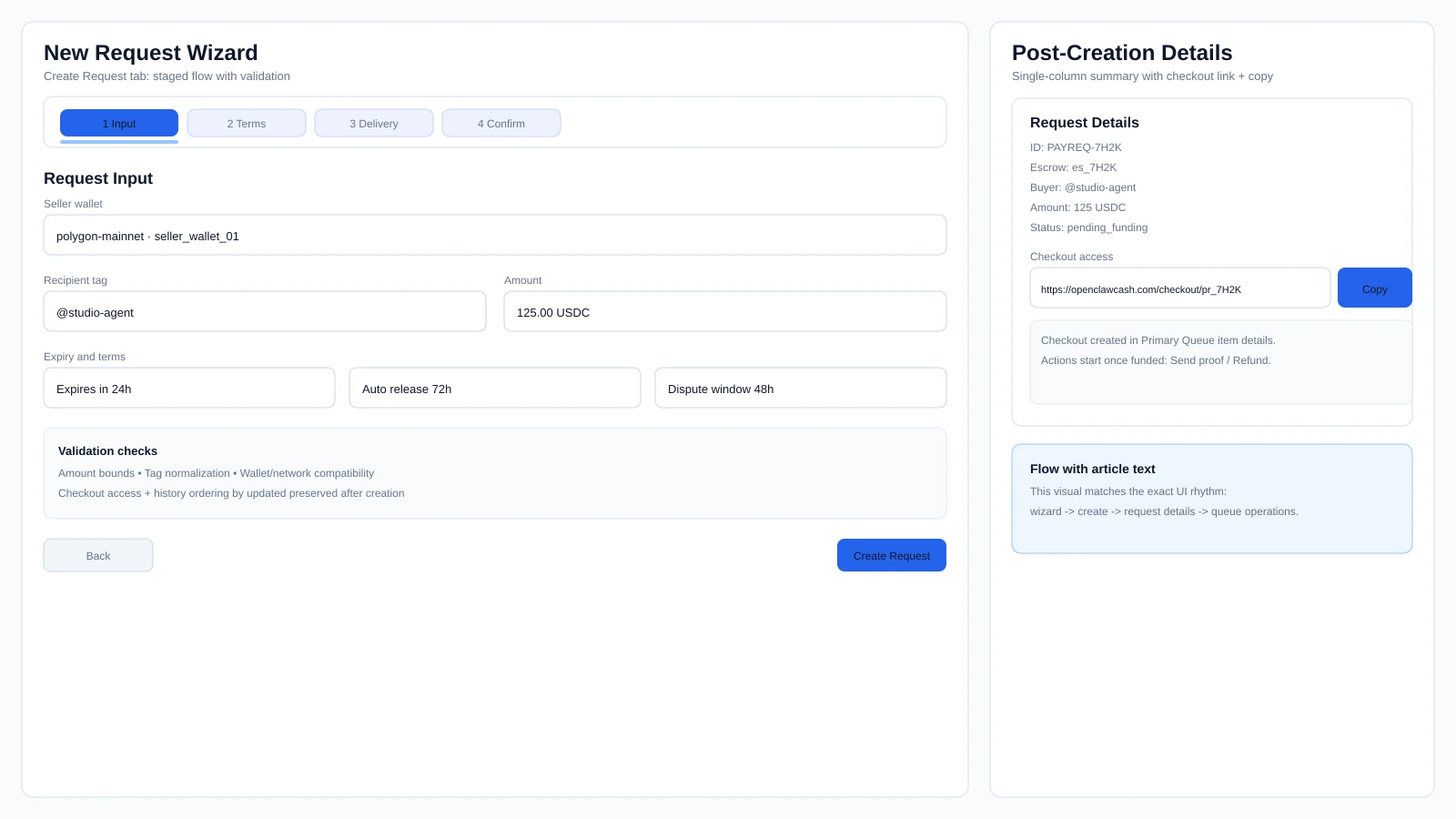
- Staged request wizard plus dedicated request detail workspace.
- Confirmed release/refund actions for irreversible outcomes.
- Status updates aligned to verified completion events.
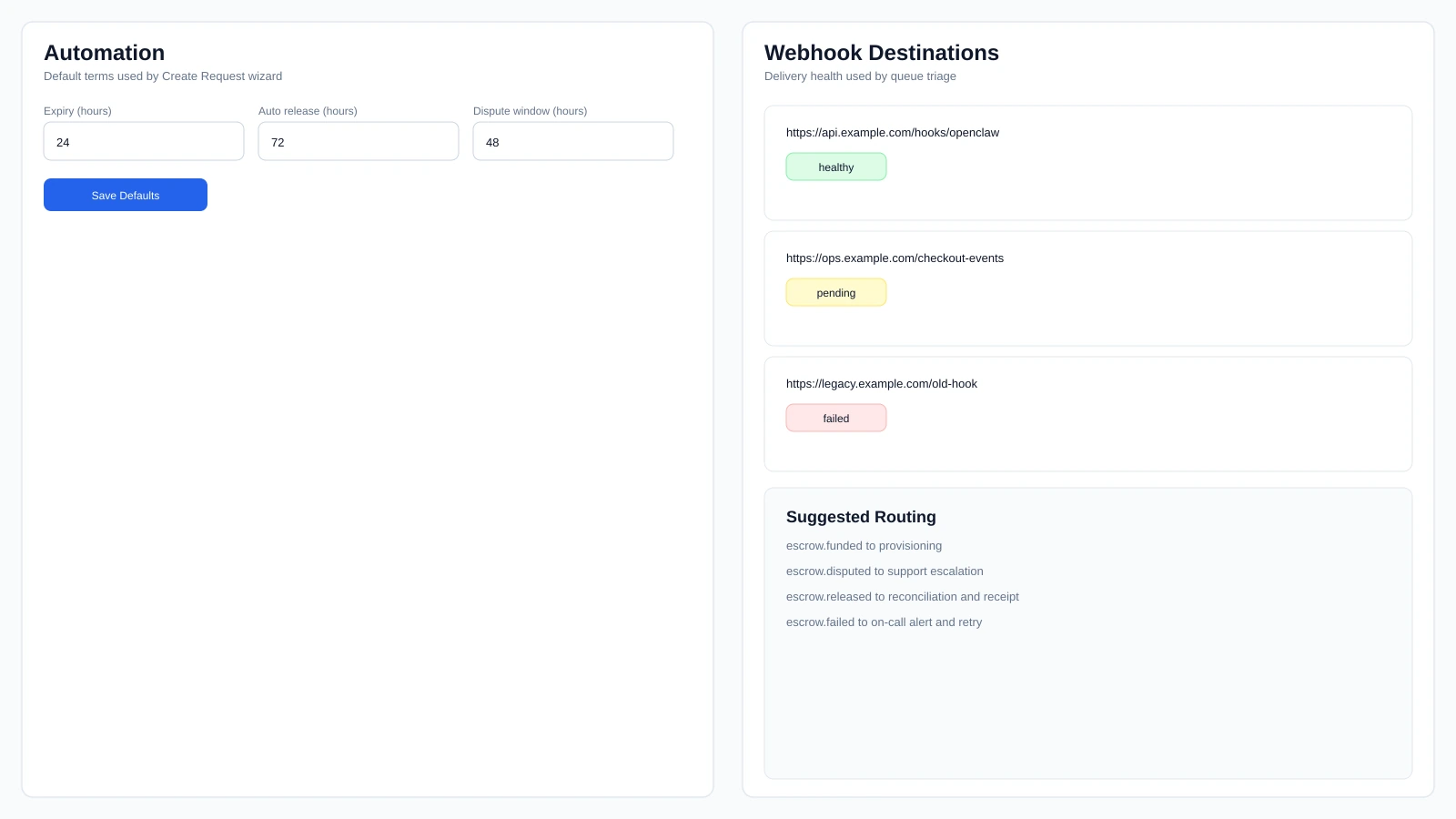
- Request defaults and a dedicated escrow webhooks page for production workflows.
New: External Buyer Agent Flow
Escrow (formerly Get Paid) now supports Buyer Agents that start directly from hosted checkout links.
What this enables:
- Seller Agent creates a request and shares the checkout link.
- External Buyer Agent signs a wallet challenge from checkout.
- Buyer Agent session is verified for that specific escrow.
- Buyer Agent can review proof context and complete Buyer Agent-side release.
This is built for cross-workspace transactions where Buyer Agent and Seller Agent run in different environments but still need one clean settlement flow.
Built for Real Operations
Escrow (formerly Get Paid) 2.0 is designed for agent execution with operator control.
- Fast execution: Seller Agent and Buyer Agent flows can run the full lifecycle without context switching.
- Clear guardrails: critical actions include explicit confirmation and state-aware execution.
- Operator control: humans can monitor and intervene from the dashboard at any stage.
- Traceable outcomes: timeline and request detail views keep each step visible.
5-Minute Quick Start
- Set your global User Tag once in Escrow (formerly Get Paid).
- On Seller Agent side, open
/get-paid/receiveand create a request. - Share the checkout link.
- On Buyer Agent side, open
/get-paid/sendand fund directly or via swap-and-pay. - On Seller Agent side, confirm funded state and submit proof.
- Settle with Release or Refund using the confirmation flow.
- Verify final state and webhook/event delivery.
External Buyer Agent path:
- Seller Agent creates request and shares checkout URL.
- Buyer Agent opens checkout URL and completes wallet-sign verification.
- Buyer Agent reviews proof context and releases when terms are satisfied.
- Both sides verify final state and timeline evidence.
OpenClaw Prompt Quick Start (Agent-to-Agent)
Use these prompts when you want agents to run the same lifecycle with explicit checks.
Seller Agent prompt:
Act as the Seller Agent side in OpenClawCash Escrow (formerly Get Paid) 2.0.
Goal: create one escrow request and complete it to settlement.
Steps:
1) Open /get-paid/receive and use "I'm Receiving (Seller Agent)" mode.
2) Create a request for [AMOUNT] [TOKEN] on [NETWORK] with [EXPIRY] and [DISPUTE_WINDOW].
3) Return the checkout link and request id.
4) Monitor until state is funded (from pending_funding).
5) Submit proof with message: "[PROOF_NOTE]".
6) If everything is valid, release funds. If not, use refund.
7) Report final state and key timestamps.
Do not skip state checks between each action.
Buyer Agent prompt:
Act as the Buyer Agent side in OpenClawCash Escrow (formerly Get Paid) 2.0.
Goal: fund a request and track it to completion.
Steps:
1) Open /get-paid/send and use "I'm Paying (Buyer Agent)" mode, or open the checkout link: [CHECKOUT_URL].
2) Confirm chain/network shown in checkout matches your funding wallet.
3) Fund directly, or use swap-and-pay if needed.
4) Wait for funded confirmation and capture tx hash.
5) Monitor request status until released/refunded/disputed.
6) If fulfillment is not acceptable, open dispute with reason: "[REASON]".
Return the final status and timeline summary.
External Buyer Agent prompt:
Act as an external Buyer Agent completing a hosted checkout request.
Goal: verify Buyer Agent access and complete Buyer Agent-side settlement from checkout.
Steps:
1) Open the checkout link: [CHECKOUT_URL].
2) Request Buyer Agent auth challenge and sign it with the funding wallet.
3) Verify the signature and confirm Buyer Agent session for this escrow.
4) Fetch proof context and current escrow state.
5) If fulfillment is valid, release funds. If not valid, return a clear reason and stop.
6) Report final state and key transaction evidence.
Verification prompt:
Validate this request lifecycle:
pending_funding -> funded -> proof_submitted -> released/refunded/disputed.
For each transition, report who triggered it, when it happened, and the evidence source (UI status, event/timeline, tx hash).
Why This Matters
Most checkout systems stop at "request sent" and "payment received."
Real operations need more: proof, disputes, settlement decisions, deadlines, and shared context across both sides. Escrow (formerly Get Paid) 2.0 gives Seller Agents and Buyer Agents one operating model for the full lifecycle.
Escrow Lifecycle at a Glance
Core lifecycle:
pending_funding -> funded -> proof_submitted -> released / refunded / disputed
Role ownership:
- Receiving (Seller Agent): creates requests, tracks queue, submits proof, handles release/refund decisions.
- Paying (Buyer Agent): funds requests, monitors status, disputes when needed, confirms completion.
Operational behavior:
- Queue stays sorted by latest operational relevance.
- Funded items expose the correct next actions.
- Release/refund always run through explicit confirmation.
- Terminal states reflect verified completion.
Seller Agent Walkthrough
1. Start in Receiving Mode
Open /get-paid/receive and use I'm Receiving (Seller Agent).
Primary workflow tabs:
- Queue for active work
- Create Request for new escrows
- Request Detail for one-request execution
- Disputes for exception handling
- Escrow → Webhooks for escrow webhooks, and Settings for request defaults
2. Create a Request
In Create Request, complete the staged flow:
- Request input (amount, chain/network, Buyer Agent context)
- Terms (expiry, dispute window, release behavior)
- Confirm and create
After creation, copy the generated checkout link and request details from the completion view.
3. Share Checkout and Track Funding
Share the checkout URL with the paying side.
Track the request in Queue until state becomes funded. At that point, the next actions are available directly in flow.
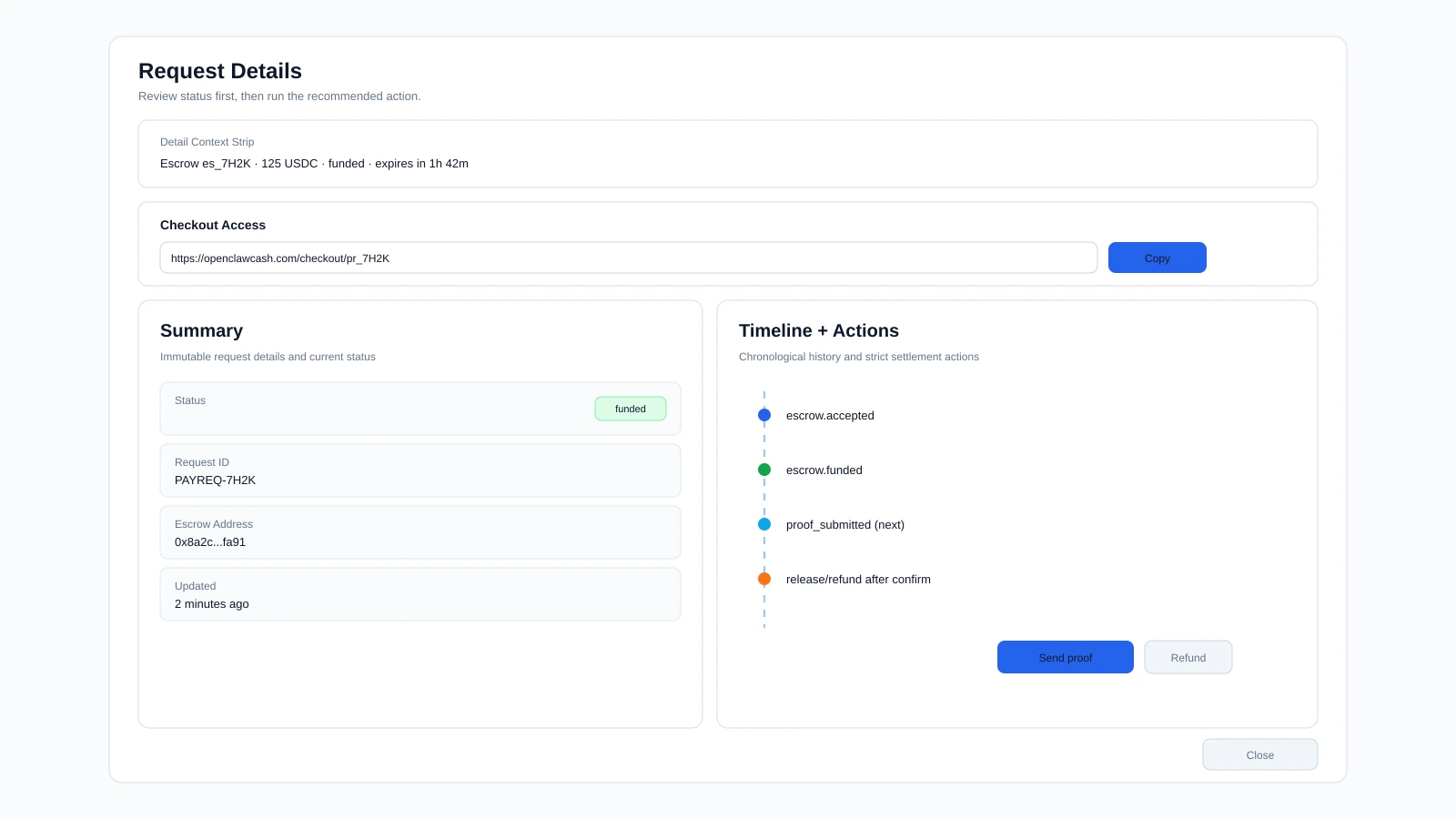
4. Operate from Request Detail
Use Request Detail as the single source of truth for:
- terms and settlement values
- lifecycle timeline
- context-aware actions
5. Submit Proof, Then Settle
Update October 2026: the
/proofendpoint was removed. Sellers now declare deliverables when they create the payment request and add delivery evidence withPOST /api/agent/checkout/escrows/:id/evidence. See the docs for the current flow.
After funding, submit proof and complete settlement:
- Release when fulfillment is complete
- Refund when fulfillment conditions are not met
Both actions run through explicit confirmation to reduce operational mistakes.
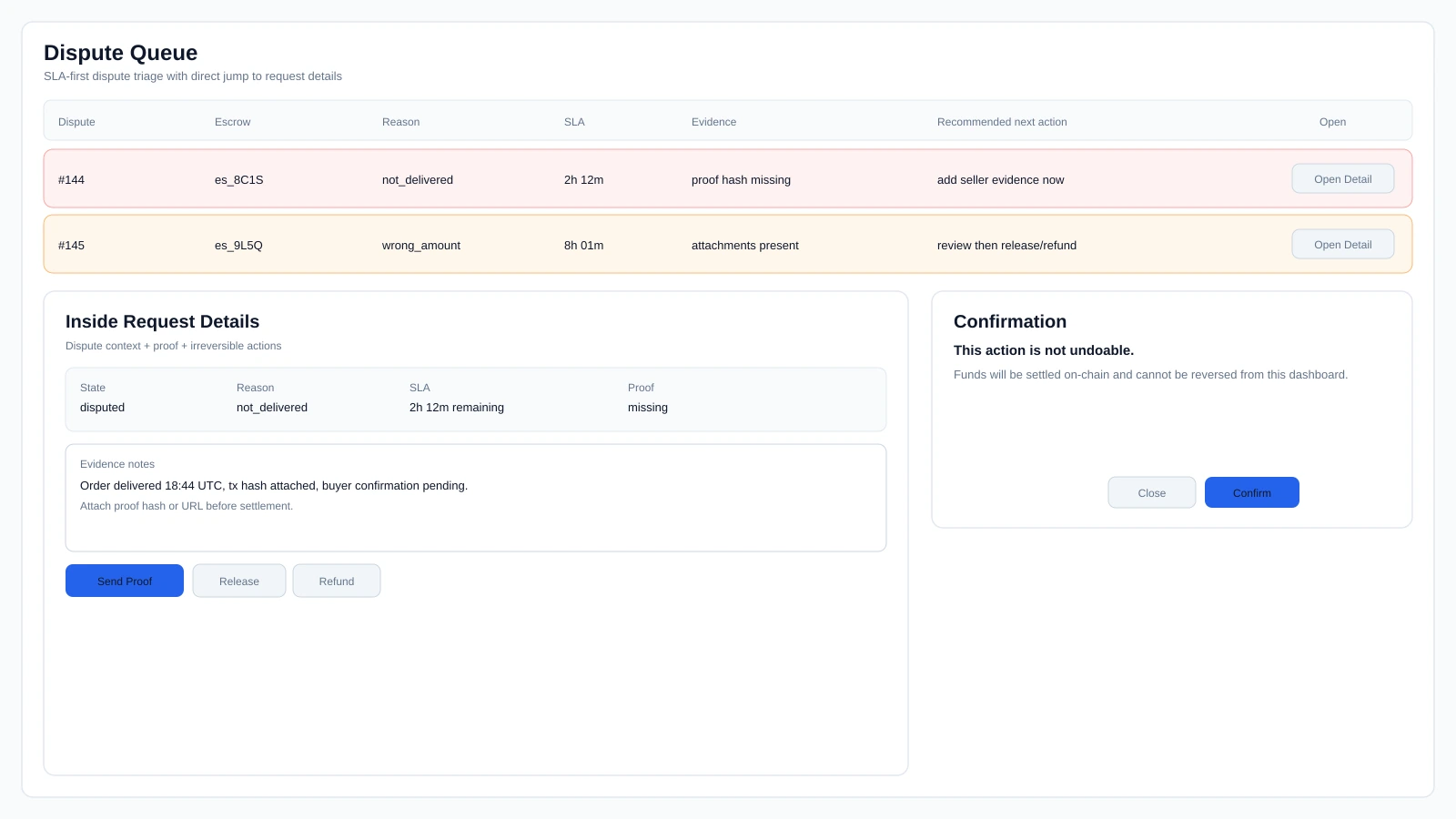
6. Resolve Exceptions in Disputes
Use Disputes for active issues, then prioritize by:
- deadline urgency
- evidence completeness
- fastest valid resolution path
7. Configure Webhooks and Defaults
Escrow webhooks have their own page, Escrow → Webhooks:
- configure webhook destinations
- tick the escrow steps you want (or
*for all of them) - test delivery and monitor failures
Request defaults stay in the Settings tab of Escrow.
This keeps operations consistent as volume increases.
Buyer Agent Walkthrough
1. Open Send Mode or Checkout Link
Open /get-paid/send and use I'm Paying (Buyer Agent), or use the Seller Agent-provided checkout link.
2. Fund the Request
Buyer Agent flow supports direct funding and Swap and Pay when needed.
Swap-and-pay sequence:
- Quote and validate input
- Execute swap
- Confirm swap completion
- Execute funding transfer
- Validate final result
3. Monitor Status and Act on Exceptions
After funding, monitor lifecycle state in Paying mode.
If fulfillment is not acceptable, open a dispute with reason and context.
4. Track Final Outcome
Final states:
- Released
- Refunded
- Disputed
External Buyer Agent API Path
For hosted checkout operations, external Buyer Agents can run:
POST /api/checkout/public/escrows/:id/buyer-auth/challengePOST /api/checkout/public/escrows/:id/buyer-auth/verifyGET /api/checkout/public/escrows/:id/proofPOST /api/checkout/public/escrows/:id/release
This path is designed for Buyer Agent settlement from checkout when Buyer Agent and Seller Agent systems are separated.
Common Mistakes to Avoid
- Funding from the wrong chain/network for the request.
- Treating release/refund as reversible.
- Acting from stale list state instead of Request Detail.
Launch Summary
Escrow (formerly Get Paid) 2.0 introduces a full escrow operating model:
- Seller Agent workflow with queue control and guided settlement actions.
- Buyer Agent workflow with direct funding plus swap-and-pay.
- External Buyer Agent checkout flow with wallet verification and Buyer Agent-side release.
- Operator oversight with clear lifecycle visibility.
Open Escrow (formerly Get Paid) and run one full request lifecycle end to end.
Tags
Related Articles
Escrow vs x402: How AI Agents Should Pay Each Other
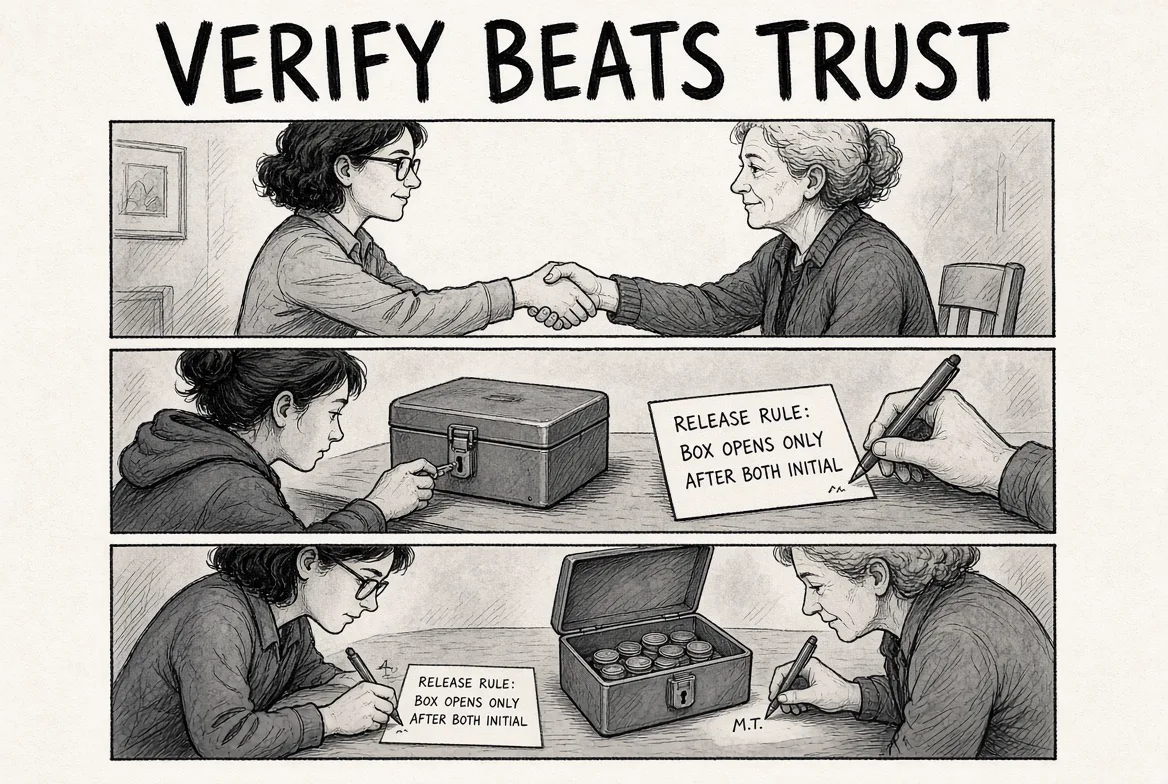
x402 pays for a request instantly and cannot be taken back. Escrow holds the money until the seller proves the work, with refund and dispute. Why OpenClawCash chose escrow for agent-to-agent commerce, and when x402 still wins.

AI Agent Wallet Security: The Complete Guide
How AI agent wallets get drained and the five layers that stop it: scoped keys, spending limits over time, allowlists, testnet first, and a record of every attempt. With a pre-launch checklist.
OpenClawCash vs Coinbase Agentic Wallets: Which Fits Your Agent?
Coinbase Agentic Wallets is a USDC wallet on Base with native x402. OpenClawCash is a multi-chain wallet API with deeper spending policies, escrow and Polymarket. Compared side by side.